
Hayley
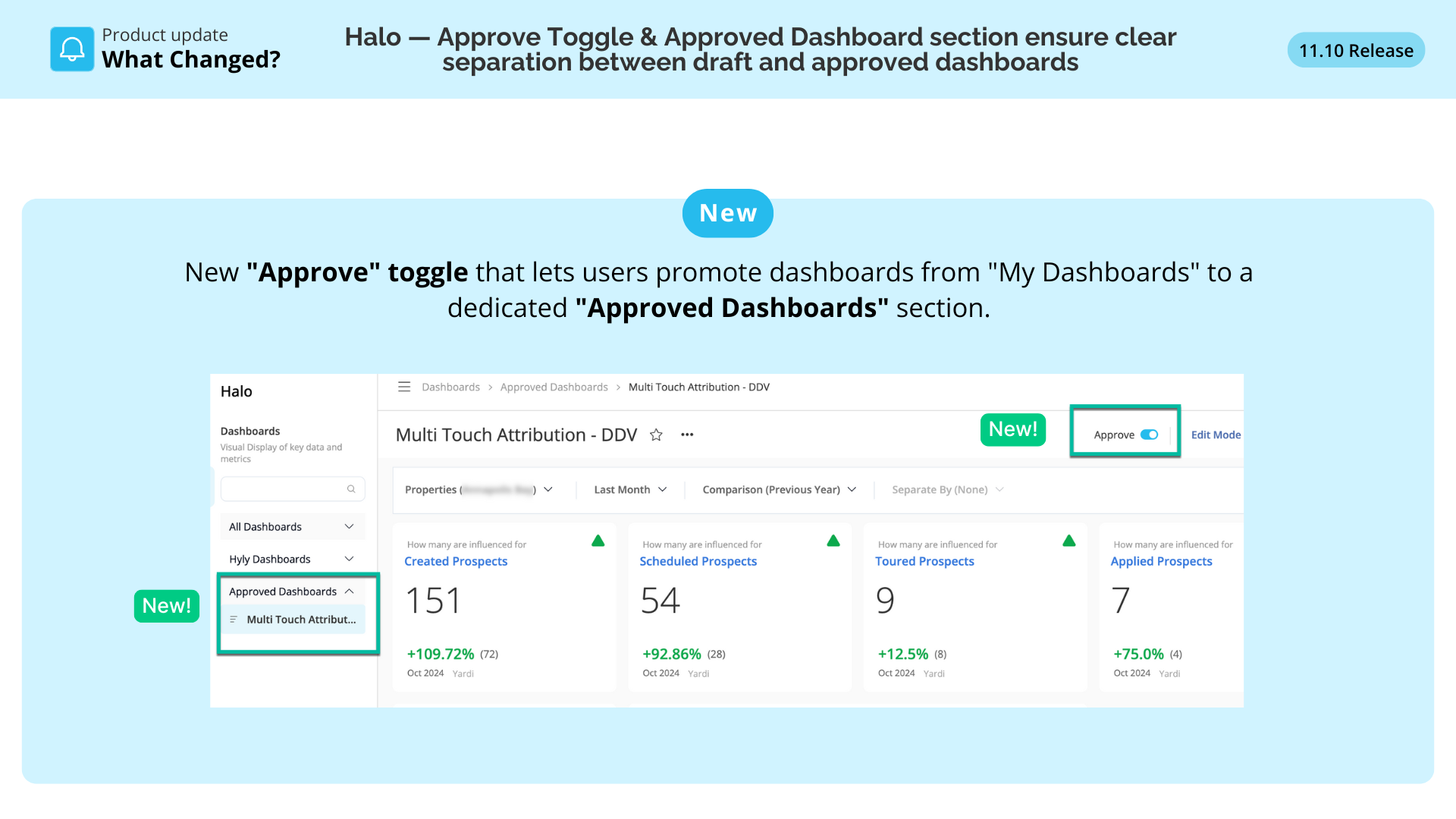
We've added a "Approve" toggle that lets users promote dashboards from "My Dashboards" to a dedicated "Approved Dashboards" section.
This helps teams distinguish official, approved dashboards from personal drafts → cleaner organization, fewer errors, and faster access to trusted reporting templates.
Read the full details here👇
What's New
- Approve toggle in dashboard settings to mark dashboards as shared organization-wide
- Approved Dashboards section in the navigation sidebar for easy access to approved templates
- Toast notifications confirming when dashboards are moved between My Dashboards and Approved Dashboards
Why This Matters: Intelligence Fabric Story
Before:
- All dashboards appeared in one undifferentiated list
- No way to signal which dashboards were official or ready for use
- Users couldn't tell trusted templates from drafts or experiments
Now:
- Clear separation between draft and approved dashboards
- Simple toggle to promote dashboards to organization-wide visibility
- Reduced confusion about which dashboards are approved for reporting
- Better dashboard organization for clients with hundreds of users
Business Impact
- Cleaner dashboard organization — especially for large clients like C&W or RPM with 100+ users
- Faster access to trusted templates — teams can quickly find approved dashboards
- Reduced reporting errors — clear signal of which dashboards are ready for business use
- Better collaboration — official dashboards are easily discoverable by all users
- Scalable governance — foundation for future permission controls and approval workflows
The People Behind This Feature
- Business Owner: Blake Williams
- Product Manager: Parthasarathi Ray
- Alla Sai Sanath
- Muhammad Hassan
- Hamza Satti
How to Use It
- Open any dashboard in "My Dashboards" you want to share organization-wide
- Click the "Approve" toggle in the dashboard header or settings
- Confirm the action in the modal popup
- Dashboard moves from "My Dashboards" to the "Approved Dashboards" section
- All organization users can now access it from the Approved Dashboards menu
Who Benefits
- Corporate Administrators: easily share approved dashboards across the organization
- Regional & Marketing Managers: quickly find and use official reporting templates
- Property Managers: access vetted dashboards without sorting through drafts
- Large Clients: better dashboard management with hundreds of users across properties